Icons. Einfach. Persönlich.Icons. Simple. Personal.

Dein Windows.
Deine Icons.
Your Windows.
Your icons.

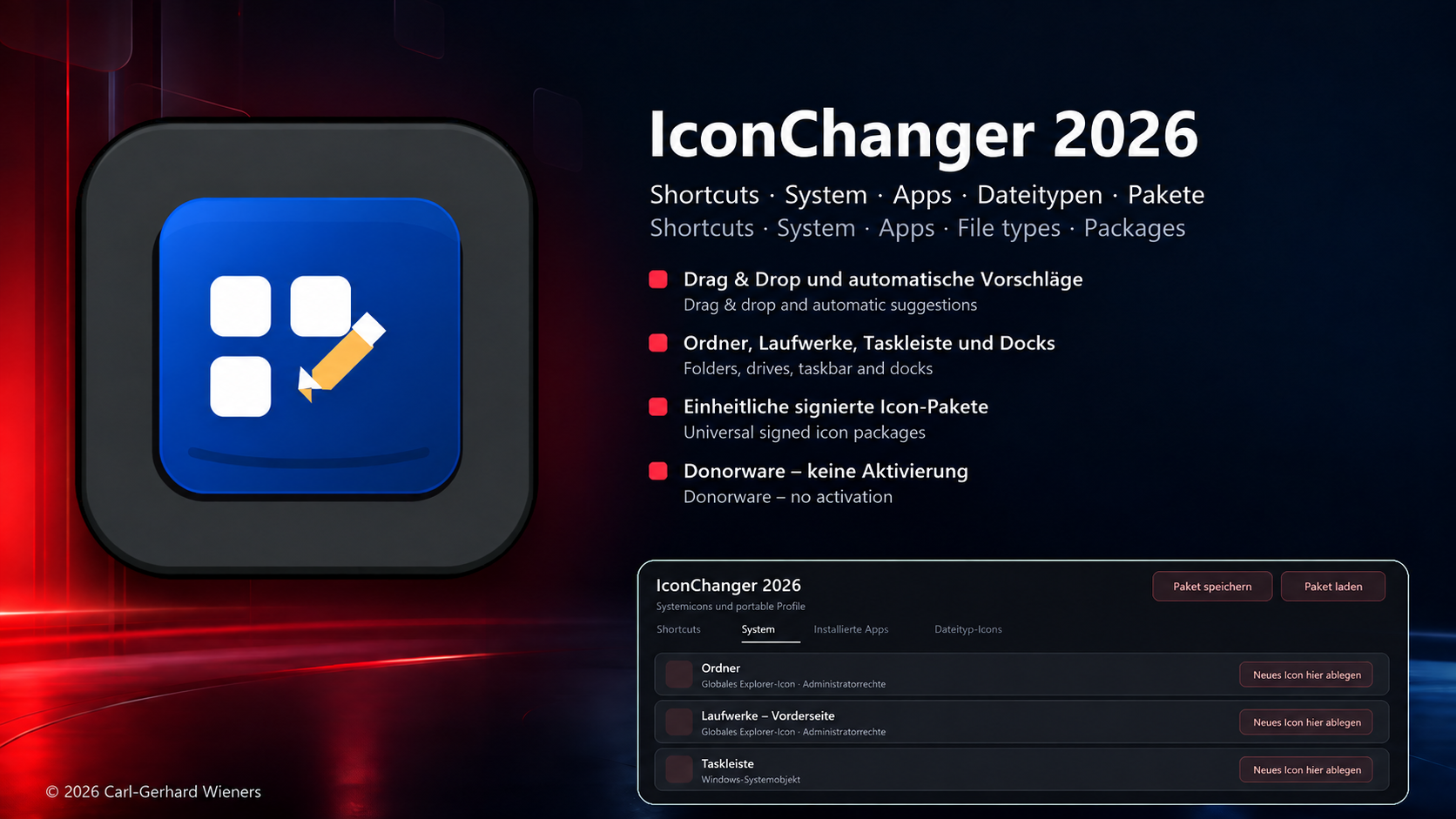
IconChanger 2026 macht Schluss mit komplizierter Icon-Verwaltung. Shortcuts per Drag & Drop ändern, Windows-Systemicons gestalten und komplette Icon-Sets als Profil übertragen.

IconChanger 2026 replaces complicated icon management with a clean workflow. Change shortcuts by drag & drop, customize Windows system icons, and transfer complete icon sets as profiles.

Deutsch & EnglischGerman & English Hell, Dunkel & SystemLight, Dark & System Pro & Ultra: LifetimePro & Ultra: Lifetime
IconChanger 2026 Light Icon IconChanger 2026 Pro Icon IconChanger 2026 Ultra Icon
Von Shortcuts bis zu portablen Icon-ProfilenFrom shortcuts to portable icon profiles
Drag & Dropdirekt auf den Eintragdirectly onto an entry
RekursivRecursiveinklusive Unterordnerincluding subfolders
SystemweitSystem-widePro und UltraPro and Ultra
Offline-Lizenzunbefristet & maschinengebundenpermanent & machine-bound
Drei EditionenThree editions

Genau so viel IconChanger, wie du brauchst.Exactly as much IconChanger as you need.

Starte kostenlos mit Shortcuts, erweitere auf Systemfunktionen oder nimm deine komplette Konfiguration einfach mit.

Start free with shortcuts, upgrade to system-wide control, or take your complete configuration with you.

IconChanger 2026 Light Präsentationsgrafik

Light

0 EURFreeware
  • Shortcut-Icons per Drag & DropShortcut icons via drag & drop
  • Rekursive OrdnerauflösungRecursive folder scanning
  • Persönlicher & öffentlicher DesktopPersonal & Public Desktop
  • Design- und SprachauswahlTheme and language selection
IconChanger 2026 Pro Präsentationsgrafik

Pro

19 EURLifetime
  • Alle Funktionen von LightEverything in Light
  • Windows-SystemiconsWindows system icons
  • Installierte Apps & DateitypenInstalled apps & file types
  • Vollständige WiederherstellungComplete reset
IconChanger 2026 Ultra Präsentationsgrafik

Ultra

29 EURLifetime
  • Alle Funktionen von ProEverything in Pro
  • Benennbare Icon-Profile als ZIPNamed icon profiles as ZIP
  • Winstep-Nexus-DockiconsWinstep Nexus dock icons
  • Importvorschau & AuswahlImport preview & selection
  • Automatische Sicherung vor ImportAutomatic pre-import backup
FunktionsvergleichFeature comparison

Von leicht bis vollständig.From light to complete.

FunktionFeatureLight
0 EUR
Pro
19 EUR
Ultra
29 EUR
Shortcut-Icons per Drag & DropShortcut icons via drag & drop
Rekursive UnterordnerRecursive subfolders
System-, App- und Dateityp-IconsSystem, app and file-type icons
Ordner, Live Folder & BibliothekenFolders, Live Folders & libraries
Komplette System-WiederherstellungComplete system reset
Offline-Aktivierung per E-MailOffline activation by email
Portable Icon-ProfilePortable icon profiles
Winstep-Nexus-DockiconsWinstep Nexus dock icons
Importvorschau & automatische SicherungImport preview & automatic backup
EinblickeGallery

Drei Editionen. Ein klares Design.Three editions. One clear design.

IconChanger 2026 Light
IconChanger 2026 Pro
IconChanger 2026 Ultra
Pro- & Ultra-LizenzierungPro & Ultra licensing

Die Lizenzanfrage beginnt in der installierten App.The license request starts in the installed app.

Ein Freischaltcode kann nur für die Installations-ID des jeweiligen Computers erstellt werden. Deshalb gibt es auf dieser Website keinen direkten Link zur Key-Anforderung.

An activation code can only be created for the installation ID of the respective computer. Therefore, this website does not offer a direct key-request link.

1

HerunterladenDownload

Pro oder Ultra herunterladen, installieren und starten.

Download, install and start Pro or Ultra.

2

Anfrage erzeugenCreate request

Im Aktivierungsfenster „Lizenz per E-Mail anfordern“ wählen. Die App erzeugt die maschinengebundene Anforderungsdatei.

Choose “Request license by email” in the activation window. The app creates the machine-bound request file.

3

Senden & bezahlenSend & pay

Die vorbereitete E-Mail mitsamt Anhang senden. Die Zahlung wird anschließend manuell bestätigt.

Send the prepared email with its attachment. Payment is then confirmed manually.

4

AktivierenActivate

Freischaltcode oder Lizenzdatei aus der Antwort in derselben App einfügen beziehungsweise importieren.

Paste the activation code or import the license file from the reply in the same app.

Wichtig: Eine normale E-Mail ohne die von der App erzeugte .icprequest- oder .icurequest-Datei reicht zur Ausstellung der maschinengebundenen Lizenz nicht aus. Important: A regular email without the .icprequest or .icurequest file created by the app is not sufficient to issue the machine-bound license.
Downloads

Bereit für neue Icons?Ready for new icons?

Alle Editionen können heruntergeladen werden. Erweiterte Pro- und Ultra-Funktionen werden mit einer unbefristeten, maschinengebundenen Offline-Lizenz freigeschaltet.

All editions are available for download. Advanced Pro and Ultra features are unlocked by a permanent, machine-bound offline license.

IconChanger 2026 Light

Freeware · 0 EUR · Windows Setup

IconChanger 2026 Pro

Lifetime · 19 EUR · Windows Setup

IconChanger 2026 Ultra

Lifetime · 29 EUR · Windows Setup + Wallpaper-Bonus
Hinweis: Benutzung auf eigene Gefahr. Der Ersteller haftet nicht für Schäden am System. Vor systemweiten Änderungen empfiehlt sich ein Wiederherstellungspunkt. Notice: Use at your own risk. The creator is not liable for damage to the system. A restore point is recommended before system-wide changes.