Donorware · Windows x64

IconChanger
2026

Icons für Verknüpfungen, Taskleiste, Ordner, Laufwerke, Windows-Systembereiche, Apps, Dateitypen und unterstützte Docks verwalten – direkt oder als portables Icon-Paket.

Manage icons for shortcuts, taskbar pins, folders, drives, Windows system areas, apps, file types, and supported docks — directly or as a portable icon package.

Deutsch & EnglischGerman & EnglishHell, Dunkel & SystemLight, Dark & SystemKeine AktivierungNo activation
IconChanger 2026
Eine offizielle Ausgabe · ein PaketformatOne official release · one package format
Drag & DropIcons direkt zuordnenAssign icons directly
VorschlägeSuggestionsDateinamen und ManifestFilenames and manifest
PaketePackagessigniert und portabelsigned and portable
SicherungenBackupsRückgängig & ZurücksetzenUndo & reset
FunktionsumfangFeature set

Eine Anwendung für die unterstützten Icon-Ziele.One application for all supported icon targets.

Windows & Explorer

Systemicons, Laufwerke, Ordner, getrennte Live-Folder-Ebenen, Systemsteuerung, Verwaltung, Bibliotheken, öffentliche Ordner und Dateitypen.

System icons, drives, folders, separate Live Folder layers, Control Panel, administration, libraries, public folders, and file types.
Shortcuts & Apps

Verknüpfungen, installierte Apps und klassische Taskleisten-Pins; rekursive Ordnersuche ist optional.

Shortcuts, installed apps, and classic taskbar pins; recursive folder scanning is optional.

Docks & Start

Winstep Nexus, Stardock Start11, QuickStart Dock und FlickDock. PNG-Ziele werden automatisch vom ICO-Workflow getrennt.

Winstep Nexus, Stardock Start11, QuickStart Dock, and FlickDock. PNG targets are separated automatically from the ICO workflow.

Pakete erstellenCreate packages

Standardstart ohne Live-Änderungen: präzise Suche, responsive Icon-Kacheln, manuelle Zuordnung und Paketöffnung. „System ändern“ ist ein eigener Arbeitsbereich; „Auf Windows anwenden“ verlangt eine Bestätigung.

Default startup without live changes: precise search, responsive icon tiles, manual assignment and package opening. Change system is a separate workspace; Apply to Windows requires confirmation.

Automatische ZuordnungAutomatic matching

Bis zu drei Vorschläge anhand kategorischer Regeln, deutscher/englischer Namen und optionaler icon-mapping.json.

Up to three suggestions using category rules, German/English names, and an optional icon-mapping.json.

Kontrolle & WiederherstellungControl & recovery

Importvorschau, automatische Sicherung, letzte Änderung rückgängig, vollständiges Zurücksetzen und PNG-Übersichten.

Import preview, automatic backup, undo latest change, complete reset, and PNG overview graphics.

Wallpaper & CursorWallpapers & cursors

Mehrere Wallpaper-Varianten und Windows-Cursorschemata aus INF-Dateien in Paketen speichern, auswählen und anwenden.

Store, select, and apply multiple wallpaper variants and Windows cursor schemes imported from INF files.

Einheitliches FormatUniversal format

Ein Paket für IconChanger.Unified icon packages.

Neu gespeicherte Pakete tragen die Kennung IconChanger 2026 und können Icons, Wallpaper-Varianten sowie ein Cursorschema enthalten. Ältere signierte Editionspakete bleiben zur Übernahme lesbar und können anschließend im einheitlichen Format neu gespeichert werden.

Newly saved packages use the IconChanger 2026 identifier and can contain icons, wallpaper variants, and a cursor scheme. Older signed edition packages remain readable for migration and can then be saved in the universal format.

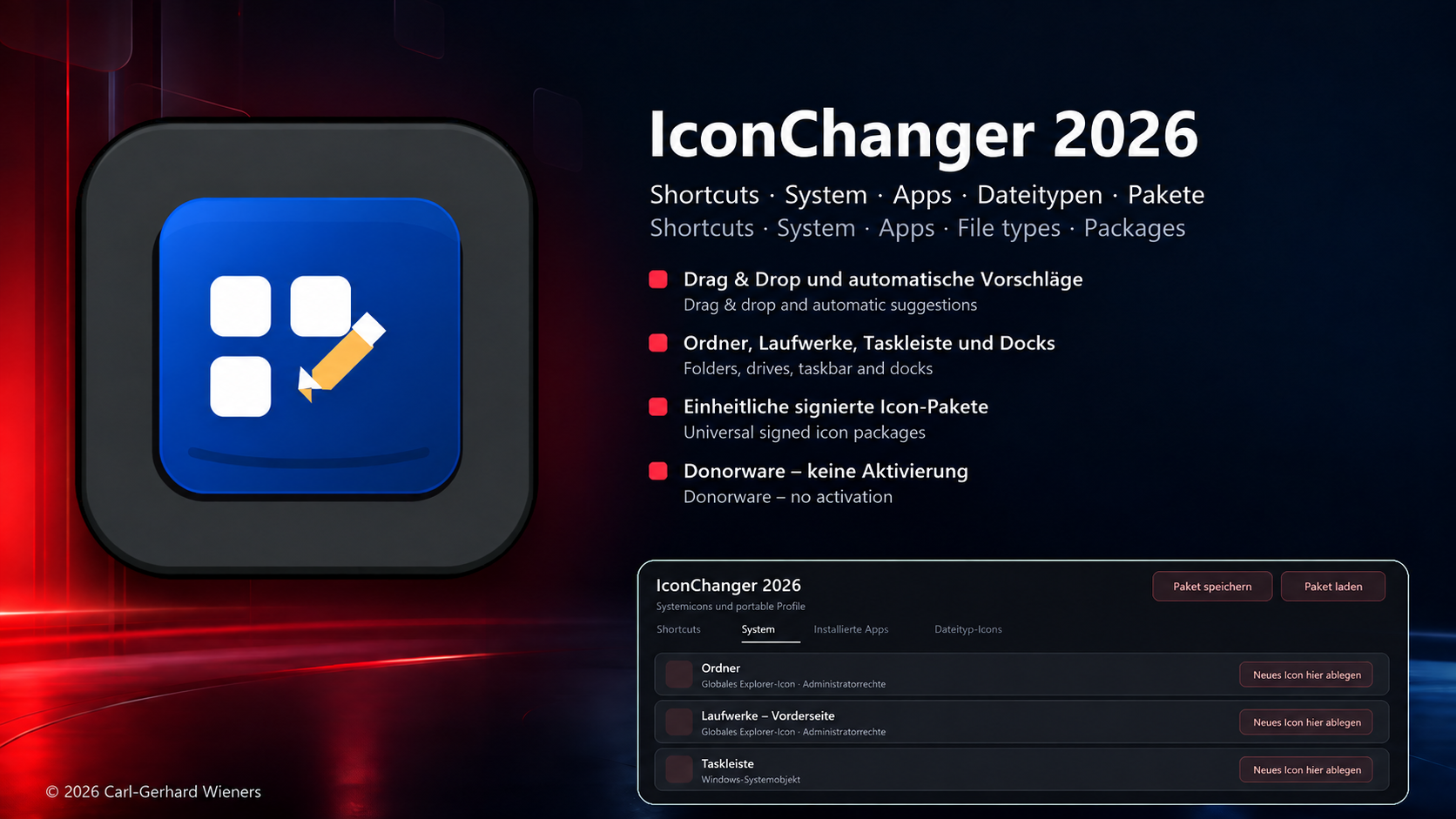
IconChanger 2026 Präsentationsgrafik
Donorware

Vollständig nutzbar, Spende freiwillig.Fully usable, donation optional.

Es gibt keine Aktivierung, Maschinenbindung oder kostenpflichtige Freischaltung. Wer Entwicklung und Tests unterstützen möchte, kann freiwillig per PayPal spenden.

There is no activation, machine binding, or paid unlock. Anyone wishing to support development and testing may donate voluntarily via PayPal.

Spenden via PayPalDonate via PayPal
Download

IconChanger 2026 0.97.10 BETA

Portable WinUI-3-Betafassung einschließlich der benötigten Laufzeiten. Deutsche und englische PDF-/TXT-Dokumentation ist im Download-ZIP enthalten; HTML wird separat bereitgestellt.

Portable WinUI 3 beta including the required runtimes. German and English PDF/TXT documentation is included in the download ZIP; HTML is supplied separately.

Betafassung und Dokumentation ladenDownload beta and documentation